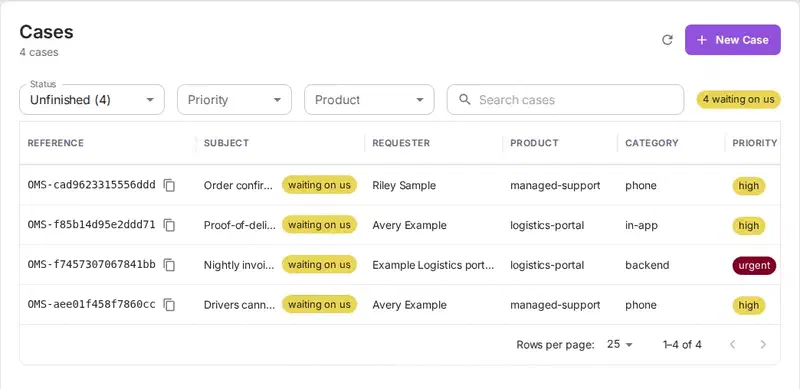
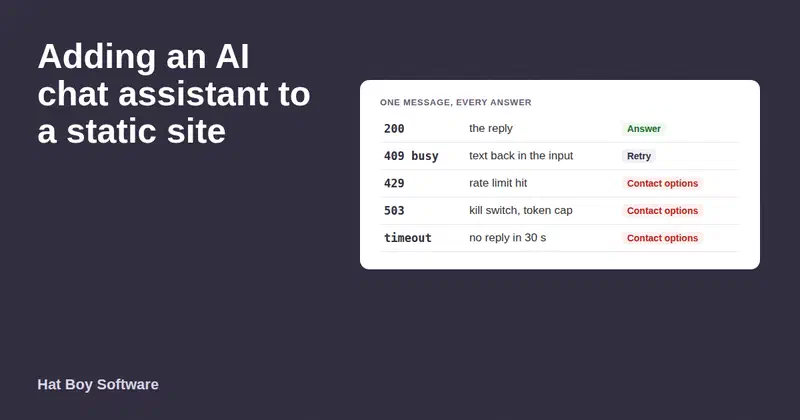
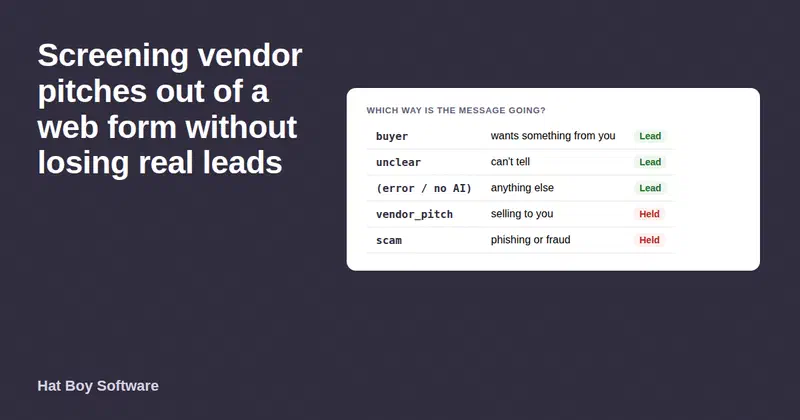
People reach us in two ways: the contact form on this site, and a phone line answered by our AI receptionist. Both now post to the same public web-to-lead endpoint in Omnisnia, the CRM built by Nandeshou, so every enquiry lands in one queue, tagged with the channel it came from.
This post covers how each channel is wired, why a token published in page source is safe, and what our team sees when an enquiry arrives.
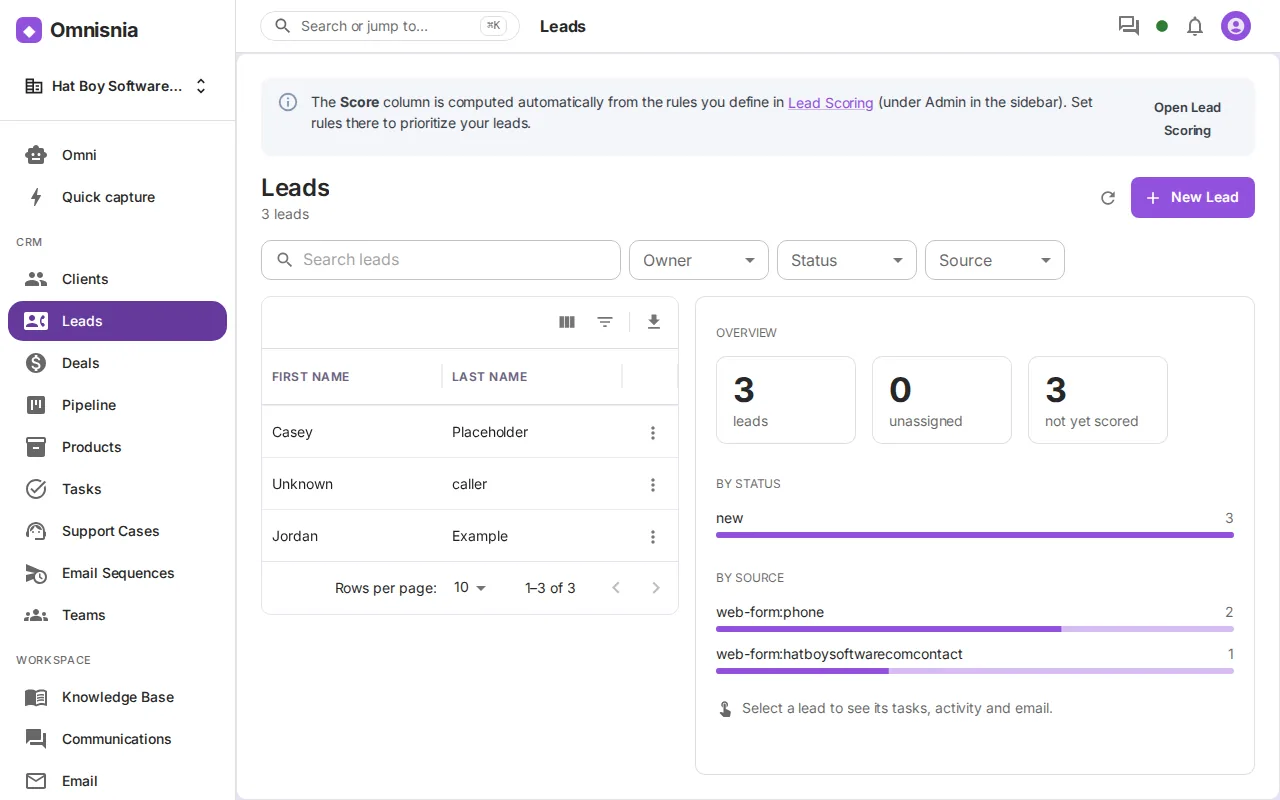
All screenshots in this post come from a demo instance of Omnisnia populated with fictional data.
Why one pipeline for every channel
The contact form on our old site was broken, and nobody knew. It reloaded the page and threw away what the visitor typed. Phone messages, meanwhile, lived wherever the person who took them wrote them down. Neither channel had an owner, a status or a follow-up date.
One intake pipeline fixes that. Every enquiry becomes a lead record with the same fields, the same statuses and the same follow-up process. Adding a third channel later, such as a booking page or a chat widget, means pointing it at the same endpoint, not building another inbox.
The public web-to-lead endpoint
Omnisnia accepts leads at a single unauthenticated URL. The token in the path picks the organization the lead belongs to:
POST /api/v1/public/lead/{token}
Content-Type: application/json
{
  "first_name": "Jordan", "last_name": "Example",
  "email": "jordan@example.com", "company": "Example Dental Group",
  "phone": "(662) 555-0101",
  "message": "Patient intake forms ...",
  "form": "<site>/contact"
}
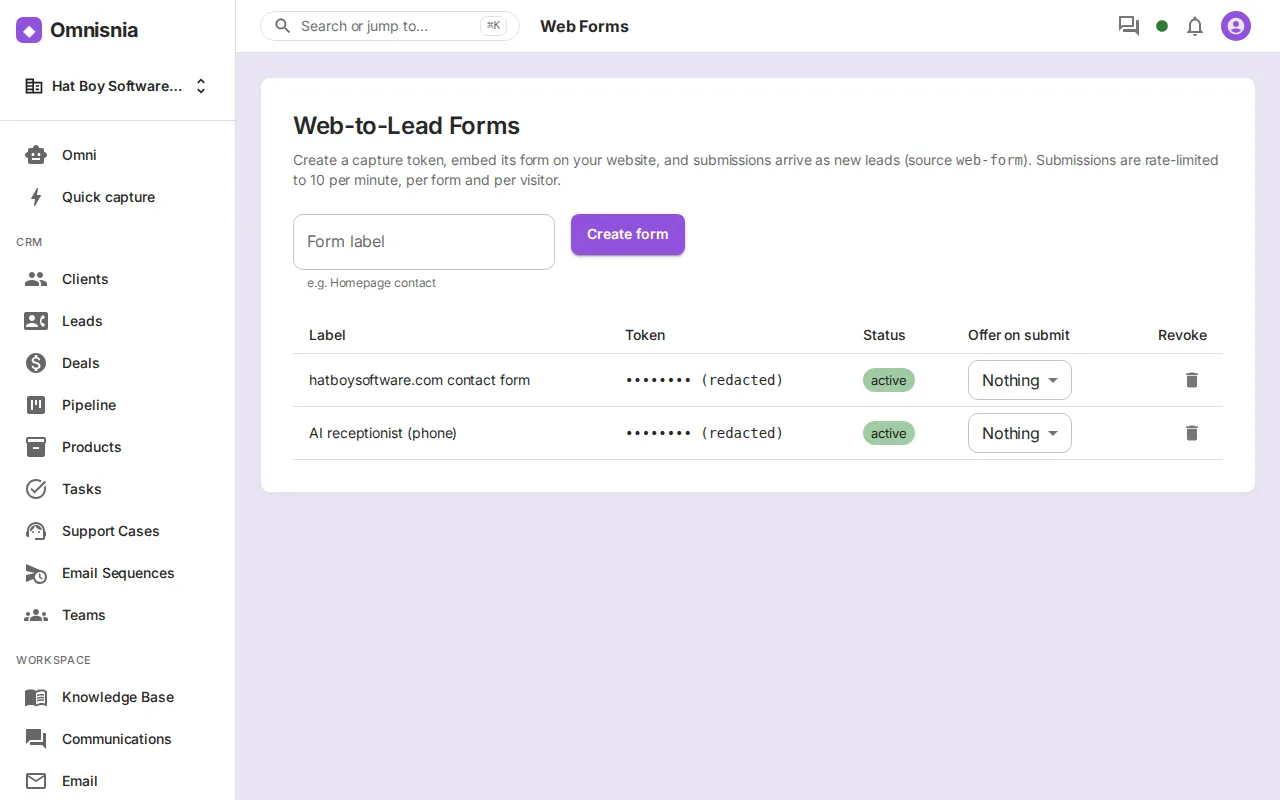
Each token is created by an administrator on the Web-to-Lead Forms screen. The form value becomes the lead’s Source, so one queue can still be filtered by channel.
Why a public token is safe here
The website token sits in the page’s HTML, where anyone can read it. That is how this kind of endpoint is meant to work, and it is safe because of what the token cannot do and how the server treats it:
- Create-only scope. The token can create a lead in one organization. It cannot read, update or delete anything, and the response does not even include the new lead’s ID.
- Origin lock. A token can be bound to one web origin. A browser request from any other site is refused with 403, and so is its CORS preflight. If the site moves host, mint a new token.
- Rate limit. Submissions are limited to 10 per minute per token and client IP address, with 429 when exceeded. The form tells the visitor to try again in a few minutes.
- No enumeration. An unknown token and a revoked token get the same 404, so nobody can probe for valid ones. Revoking takes effect immediately.
- Bounded input. At least a name, email or company is required. The message is capped at 4,000 characters. The Source is reduced to lowercase letters, digits and hyphens, so a stranger cannot invent categories in your funnel reports.
The origin lock applies only to browsers, so a server-side caller is not covered by it. Give each channel its own token, so you can revoke one without touching the other.
The web form flow
The contact form is plain HTML with a small script. On submit it:
- Checks a hidden honeypot field. A person never fills in a field they can’t see, so anything in it came from a bot. The bot is told “thanks” and nothing is sent.
- Splits the name on the first space into first and last name, which is what the CRM stores.
- Puts the subject at the top of the message, since the endpoint has no subject field.
- Posts the JSON with
fetch()and announces the result in anaria-liveregion, so screen-reader users hear the outcome too.
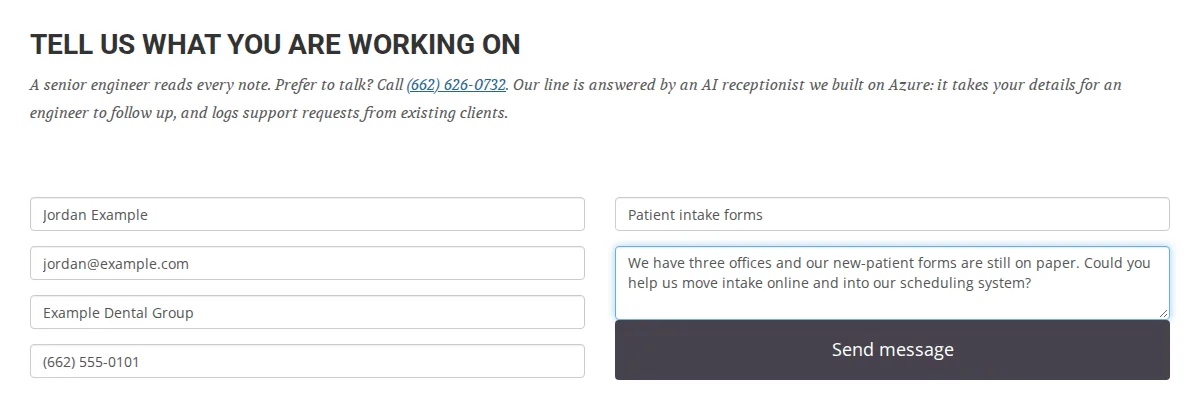
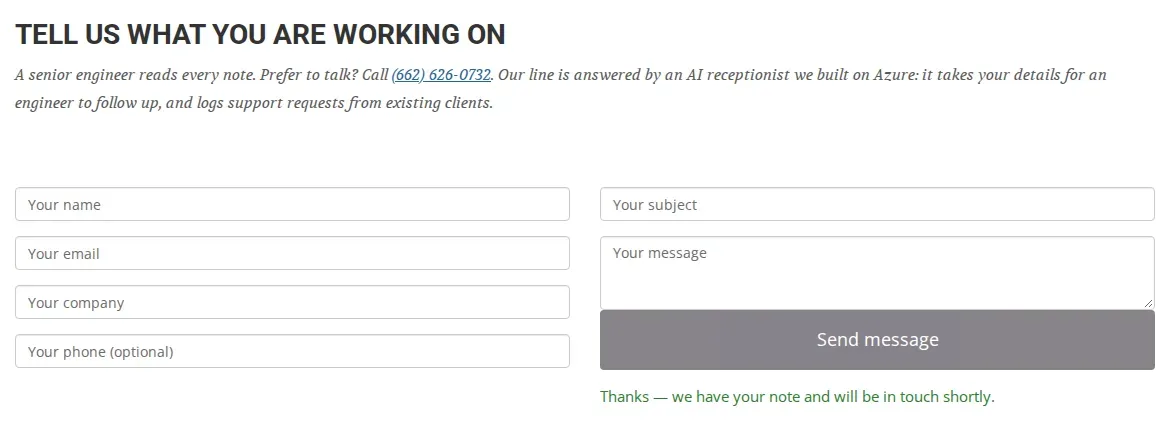
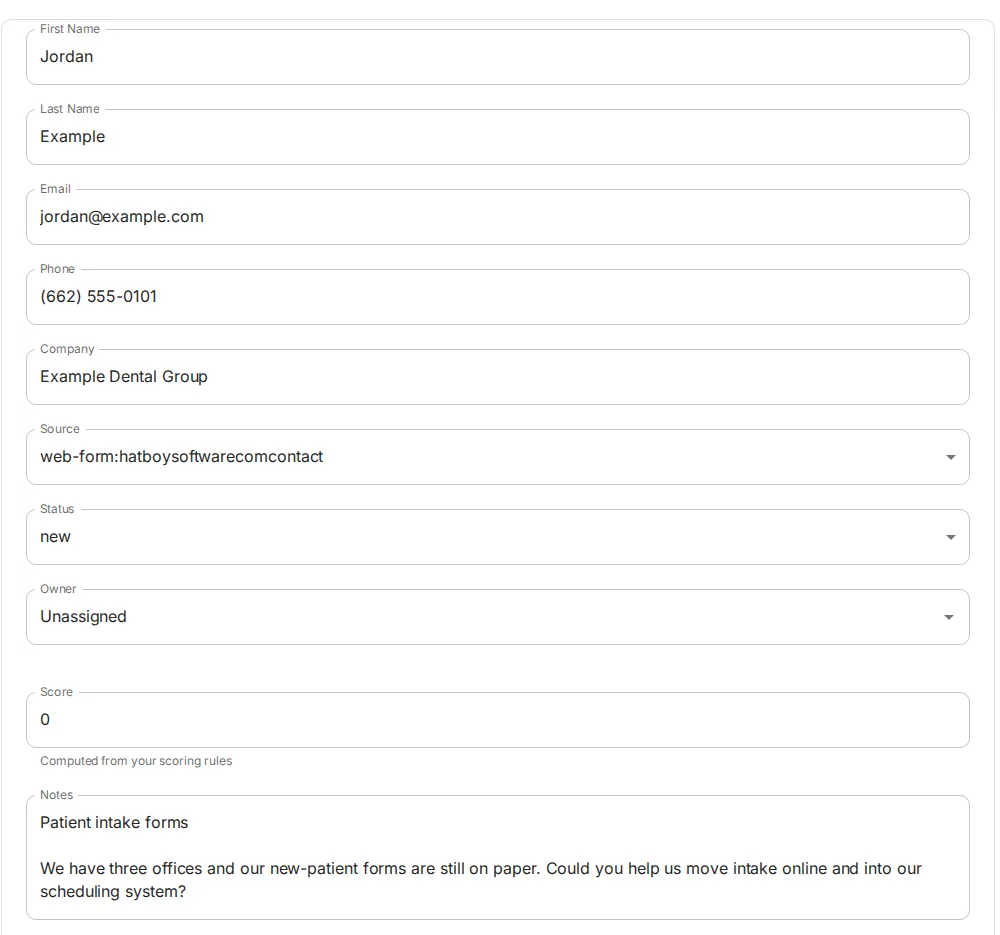
In the CRM, the enquiry arrives as a new lead with the visitor’s contact details, the subject and message in Notes, and a Source of web-form: followed by the site name and contact. The dots and slash were dropped from the form name by that sanitizing step.
The phone flow
The AI receptionist uses the same endpoint, with form set to phone, so its leads arrive with Source web-form:phone. The phone adds three things a form doesn’t have.
Caller ID. The number the caller rang from is stored for the call and attached to the lead. The agent only asks for a callback number if it is different.
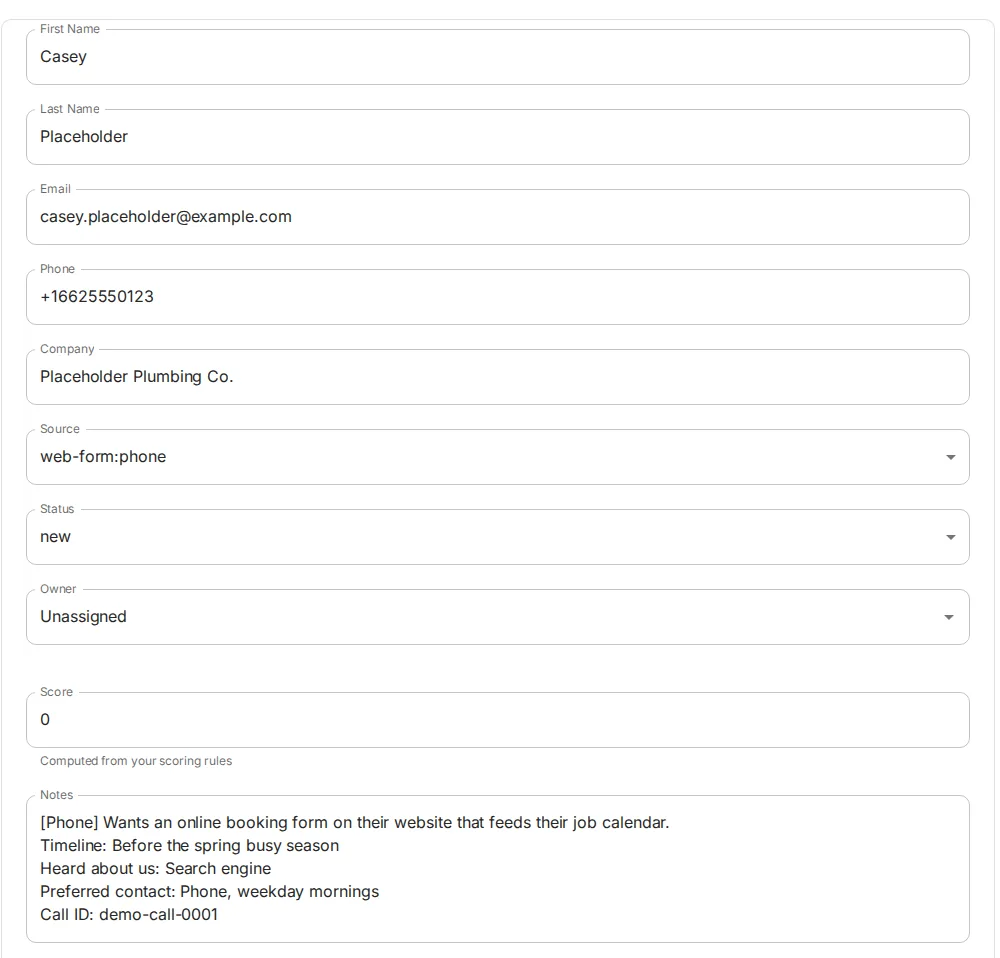
Recognizing existing clients. When the caller first speaks, the agent matches the caller ID against client phone numbers in Omnisnia, comparing the last ten digits. This lookup needs to read client records, which the public token can’t do, so it uses a separate, read-scoped API key kept as a secret. If that key is missing, nobody is recognized and every caller is treated as new, which is the safe way to fail.
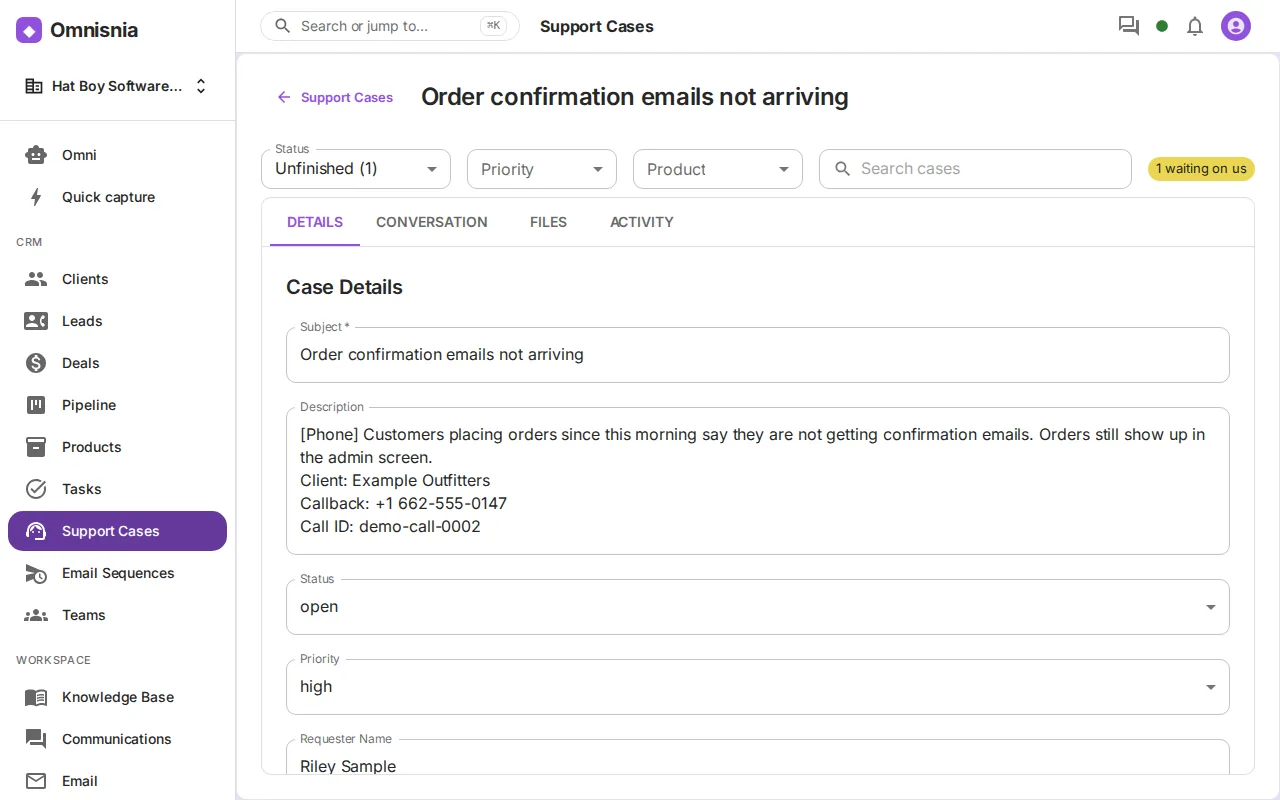
Support cases, not leads, for clients. A recognized client with a support agreement isn’t a sales lead. The agent opens a support case through Omnisnia’s public support-case endpoint instead, using a support token for the client’s tier and the email on their record, then reads back a case reference. We cover that endpoint, and how your own apps can use it, in Support tickets from your apps, straight into the CRM. A client without an agreement becomes a lead, with notes saying whether they want support or new work and whether they’d consider a support agreement.
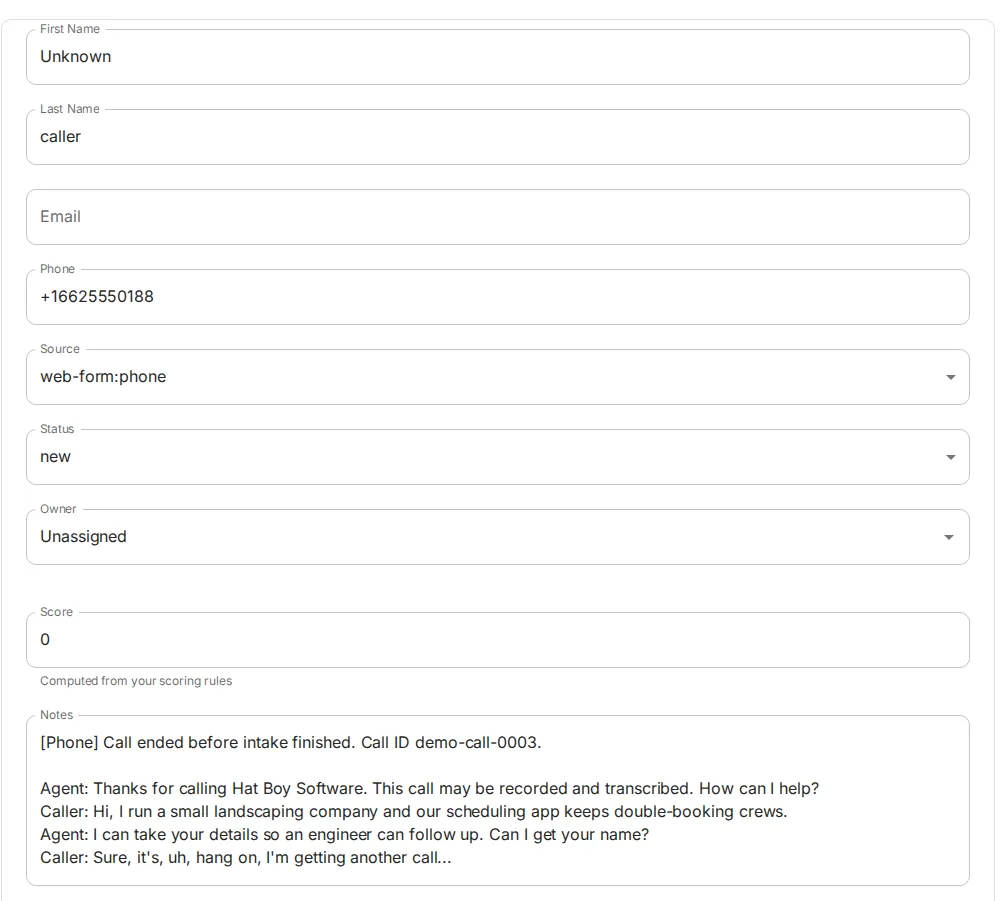
The hang-up fallback. Callers hang up mid-sentence. If the caller spoke but no lead or case was filed, the call handler posts one when the call ends, with the caller ID and the call transcript in Notes. Omnisnia requires a name, email or company, so an unidentified caller is recorded as “Unknown caller”. Long notes are cut at 3,900 characters and marked as truncated, so they stay under Omnisnia’s 4,000-character limit and the cut is visible to whoever reads them.
We covered how those tools fail safely in Fail-safe tools for a voice AI receptionist.
What lands in the CRM, and how we follow up
Every enquiry arrives with status new, no owner and its channel in Source. From there it is ordinary CRM work:
- Triage by source. Filter the lead list by Source, or read the by-source breakdown, to see what came in from each channel.
- Automate the first step. A workflow on new leads can open a qualification task, so nothing waits on someone remembering to check.
- Score and prioritize. Scoring rules can weight leads by source, or by whether they include an email or company.
- Convert. A qualified lead converts to a client, optionally opening a deal in the same step.
- Work cases separately. Support cases go to the Support Cases queue with their priority, not to the sales pipeline.
What we’d do for a client
The pattern carries over to most small and mid-sized businesses with a website and a phone line:
- Inventory every way enquiries arrive today, including the ones that land in someone’s personal inbox.
- Point each channel at one intake endpoint, with its own token, origin binding and Source name.
- Decide what counts as a lead and what counts as a support request, and route them differently.
- Build the failure paths first: a rate-limited visitor, a caller who hangs up, a missing key.
- Test each channel end to end with fictional data before going live.
How we can help
If enquiries reach your business through more than one door and you are not sure all of them get answered, we can connect them to a single pipeline. Omnisnia is one option, and the same approach works with most CRMs that accept web-to-lead posts. Read how we run our AI receptionist, or tell us what you are working on.