When a customer reports a problem from inside your app, the ticket should land where your team already works, next to the customer’s record, not in a shared inbox someone checks twice a day. Omnisnia, the CRM built by Nandeshou, does this with support tokens: one plain HTTPS POST from any app, website, backend job or phone agent opens a support case.
This post walks through the setup, the request your app makes, how the calling app should handle errors, and what the support team sees. It follows our post on routing web-form and phone enquiries into Omnisnia, which covers the sales side of the same pipeline.
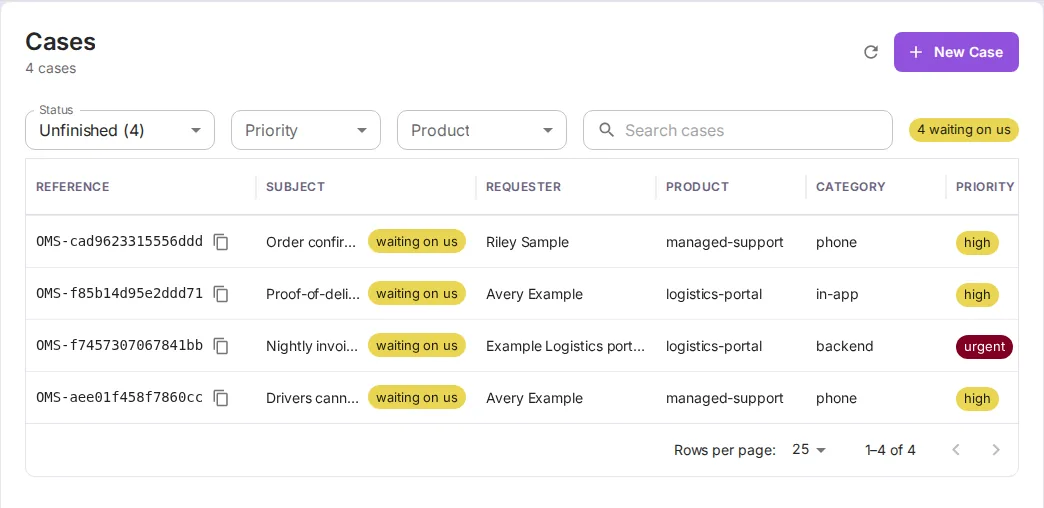
All screenshots in this post come from a demo instance of Omnisnia populated with fictional data, including the client “Example Logistics Co.”
Why tickets should open where the team already works
A support request that arrives by email has to be copied somewhere before anyone can track it. Copying loses detail, and nothing shows who owns it or whether the customer is still waiting. If the request opens as a case in the CRM, it already has a status, a priority, an assignee and a conversation thread, and it sits next to the client’s deals, leads and history.
It also means one queue for every channel. In the screenshot above, the cases came from a customer portal, a nightly job and the AI receptionist. They are triaged the same way.
Setting up a support token
An organization owner or administrator creates tokens under Admin → Support Tokens. Each token names:
- a product, from the CRM’s own product catalog, stamped on every ticket;
- an optional category, in your own words, such as
in-apporbackend; - a label for your reference;
- an allowed origin, required when tickets are sent from a visitor’s browser on another domain.
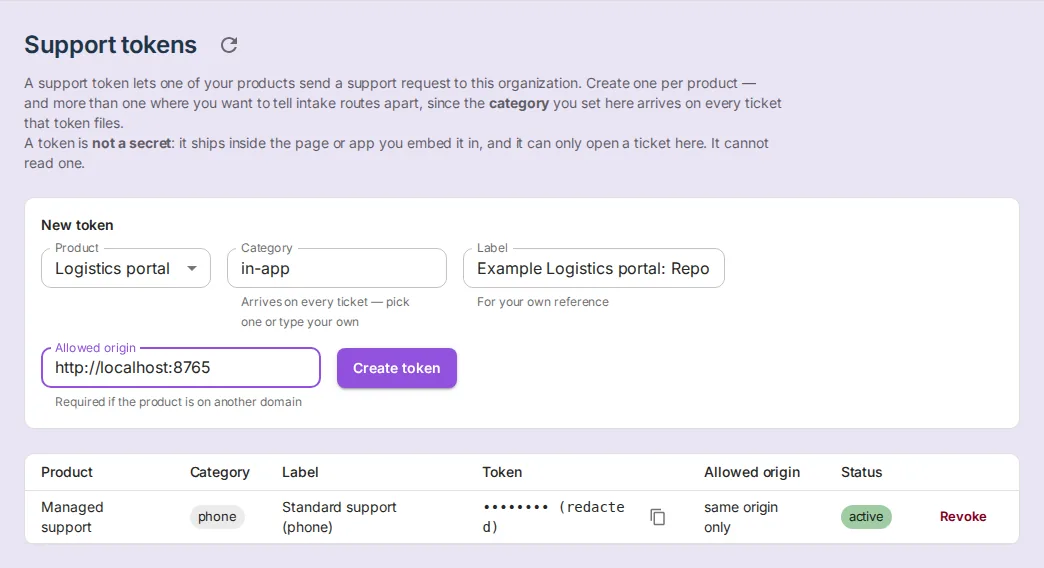
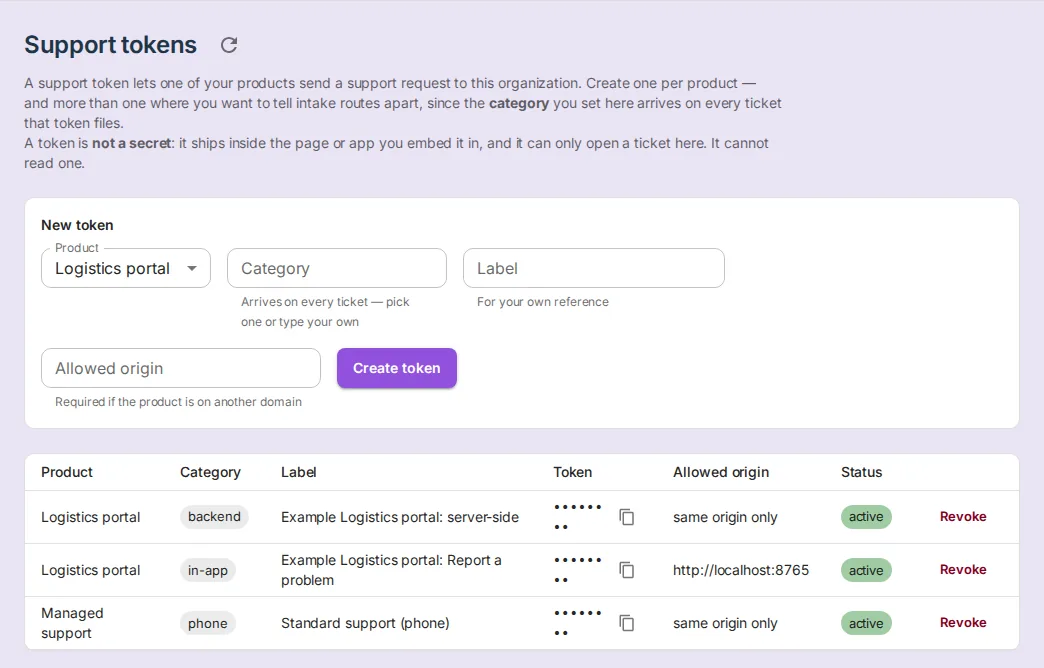
The caller can’t change the product or the category; both come from the token. We create one token per place tickets come from. Here the portal’s browser form and its backend each get one, and the receptionist has its own.
Why a token in your app’s source is safe
A support token is public by design, like the address of a contact form. It can open tickets for one product in one organization, and nothing else. It cannot read, list or search tickets, reply to one, or see any customer data. The limits on it:
- Allowed origin. A browser request from any other site gets 403. This doesn’t stop a script or a server, which is why the next two limits exist.
- Rate limits. Five tickets a minute per token from one IP address, and 500 new tickets an hour per token overall. Both return 429.
- No enumeration. An unknown or revoked token gets 404, and revoking takes effect at once.
- Bounded input. Long text is shortened rather than refused, and a customer can only read a ticket back with its reference and their own email address.
Because each app has its own token, revoking one, say after a burst of spam from a public page, doesn’t break the others.
The minimal request
Any app that can make an HTTPS request can file a ticket. From a backend job:
curl -s https://crm.example.com/api/v1/public/helpdesk/<support-token> \
  -H 'Content-Type: application/json' \
  -d '{
    "subject": "Nightly invoice export failed",
    "description": "The 02:00 export exited with a timeout calling the billing API.",
    "name": "Example Logistics portal (automated)",
    "email": "ops@example.com",
    "priority": "urgent",
    "version": "2.8.0",
    "context": { "job": "invoice-export", "run_id": "demo-run-0042" }
  }'
Only email and one of subject or description are required. priority is low, normal, high or urgent. context is free-form diagnostics that agents can see. Never put secrets in it. A successful post returns 201 with the case reference (such as OMS-…) and a link to a status page where the customer can follow the ticket without an account.
From a browser, the same request goes through fetch() with only a Content-Type header. In our demo, the customer portal’s “Report a problem” screen fills in the signed-in user’s name and email itself, so the customer only describes the problem.
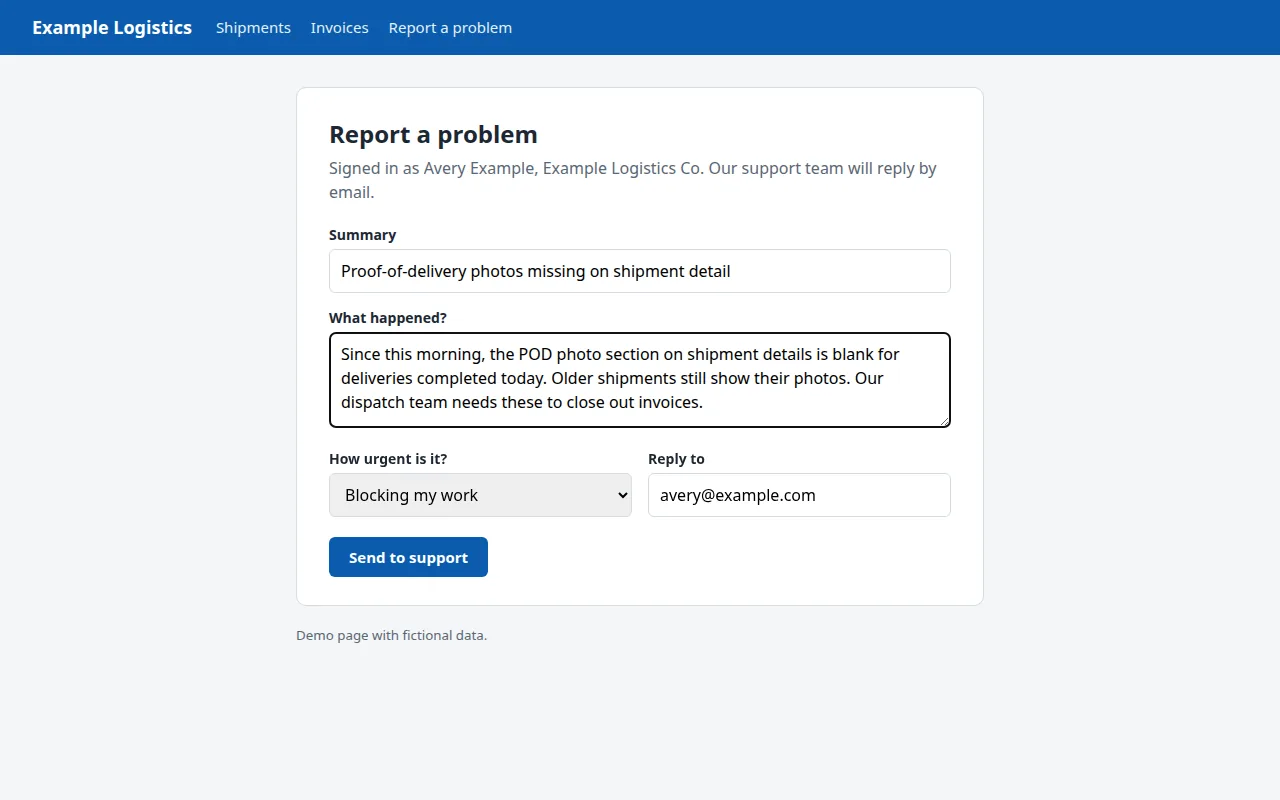
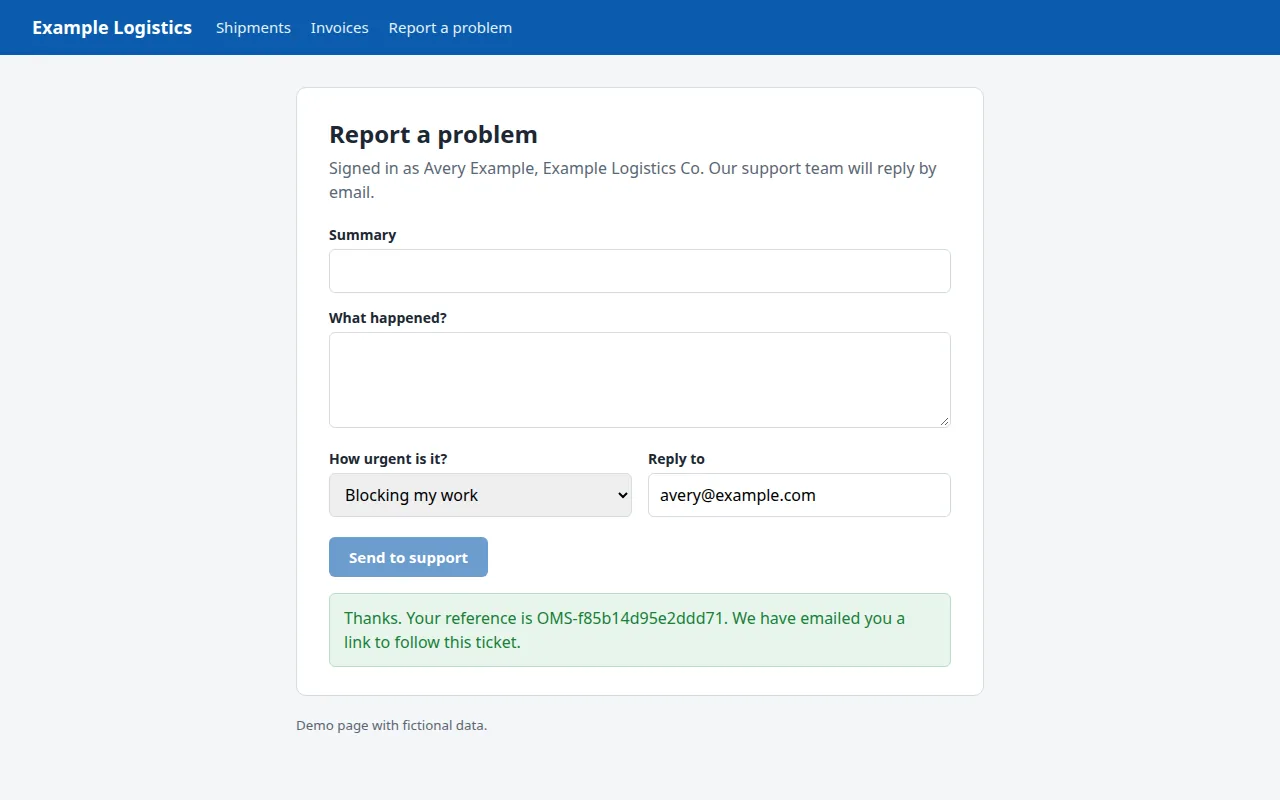
Omnisnia also ships an embeddable support widget, a script tag that adds a Support button to a site. We used a plain form here to show the underlying request.
Error handling in the calling app
The error messages are written to be shown to customers, so the simplest correct client displays them. Beyond that:
- Validate first. A missing email returns 400, “we need an email address to reply to”. Check the email field before sending.
- Back off on 429. Tell the user to try again in a few minutes. Don’t retry in a tight loop. A backend that forwards every customer’s tickets from one IP address shares the per-IP limit, so give it its own token or send from the browser.
- Retry with care. The endpoint has no idempotency key, so a retry after a timeout can create a duplicate ticket. Retry a network failure once, then show the reference if you got one, or a fallback contact if you didn’t.
- Treat 404 and 403 as configuration errors. They mean the token was revoked or the origin doesn’t match. A user can’t fix those, so log them and alert your team.
What the support team sees
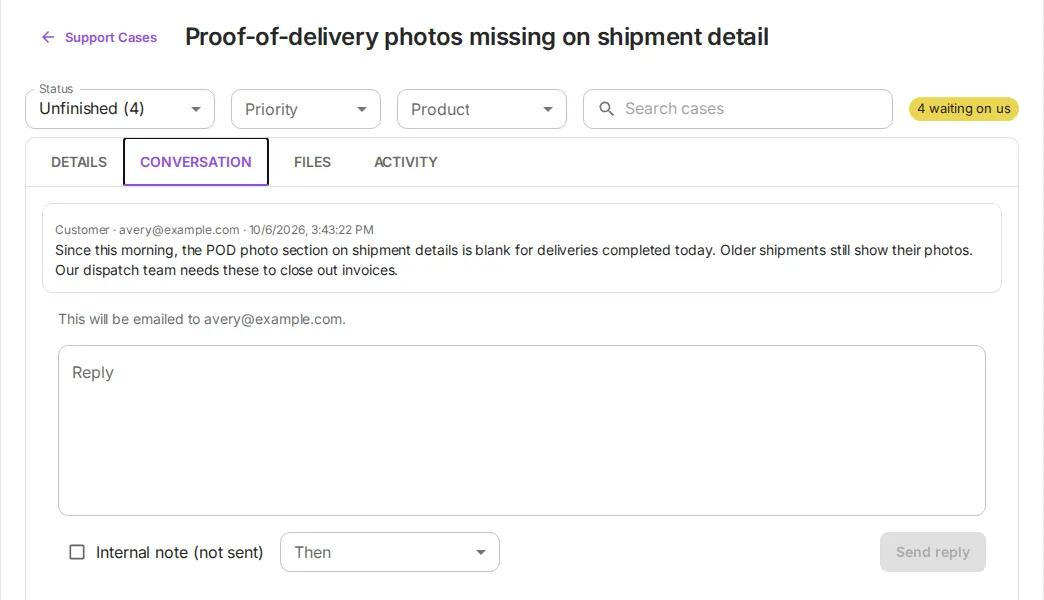
Each ticket arrives as an open case with its product, category, priority, requester and reference. The conversation tab shows what the customer wrote, and a reply from there is emailed to them unless it is marked as an internal note. If the server is configured to send email, the customer also gets an acknowledgement with their reference.
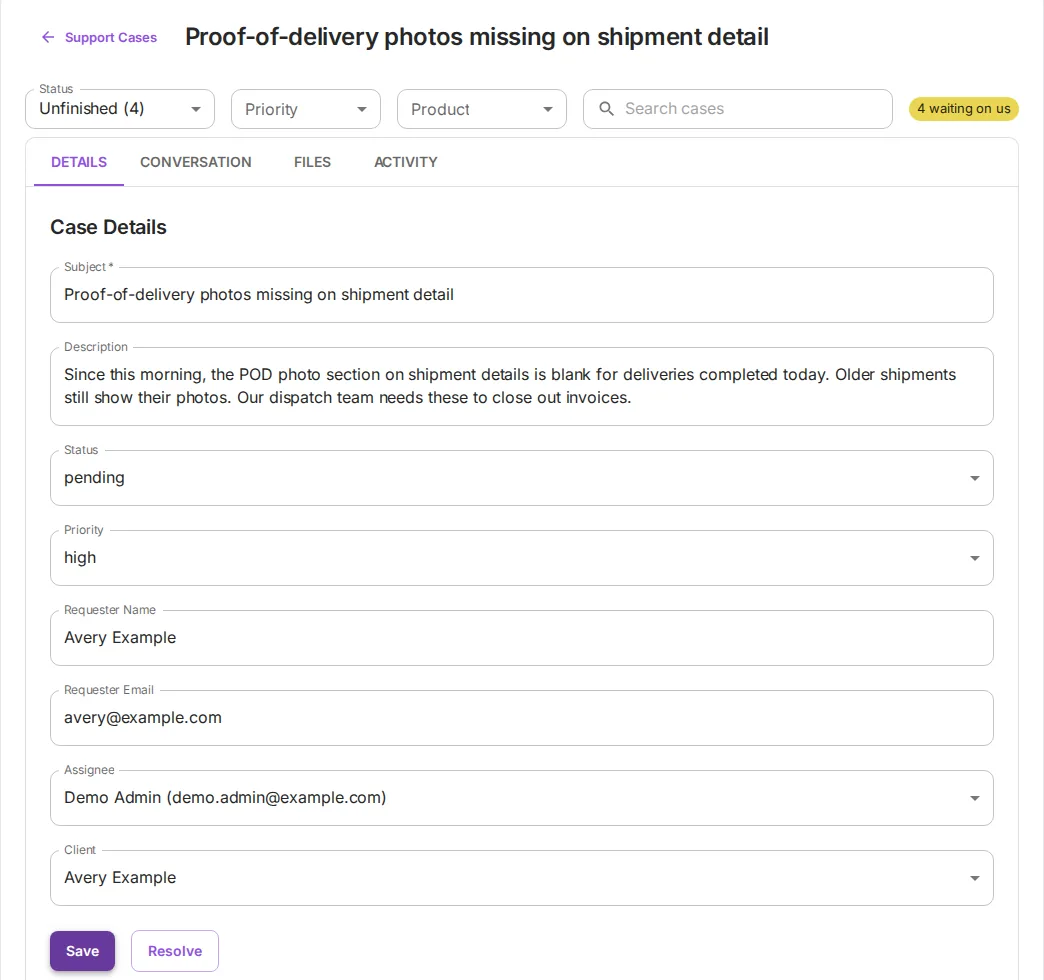
From the details tab, an agent assigns the case, moves it through open, pending, resolved and closed, and links it to the client. Omnisnia links a ticket to a client automatically only when the customer is in its customer directory, which a trusted product keeps in sync with a signed server-to-server feed. Otherwise the agent picks the client, as here.
The Support Cases screen flags cases that are waiting on you. On Business plans and above, workflow rules can assign or escalate new cases by product, category or priority. Webhooks can tell your own systems about new and updated cases.
The AI receptionist and other channels
Our AI receptionist uses the same endpoint. When a caller’s number matches a client in the CRM, it files a case with that client’s support tier token and email on record, and reads back the reference. The two phone cases in the list above came through that path. A monitoring system can use a token too: Omnisnia’s alert endpoint takes Azure Monitor and Google Cloud notifications and opens one ticket per alert condition.
Adding a channel means minting a token, not building another inbox.
How we can help
If your customers report problems by email, chat and phone, and your team tracks them in a spreadsheet, we can connect those channels to one queue in the CRM you already use, with error handling in your app that customers can understand. See our services, or tell us what you are working on.